Moonbot Main Screen
Quick article search
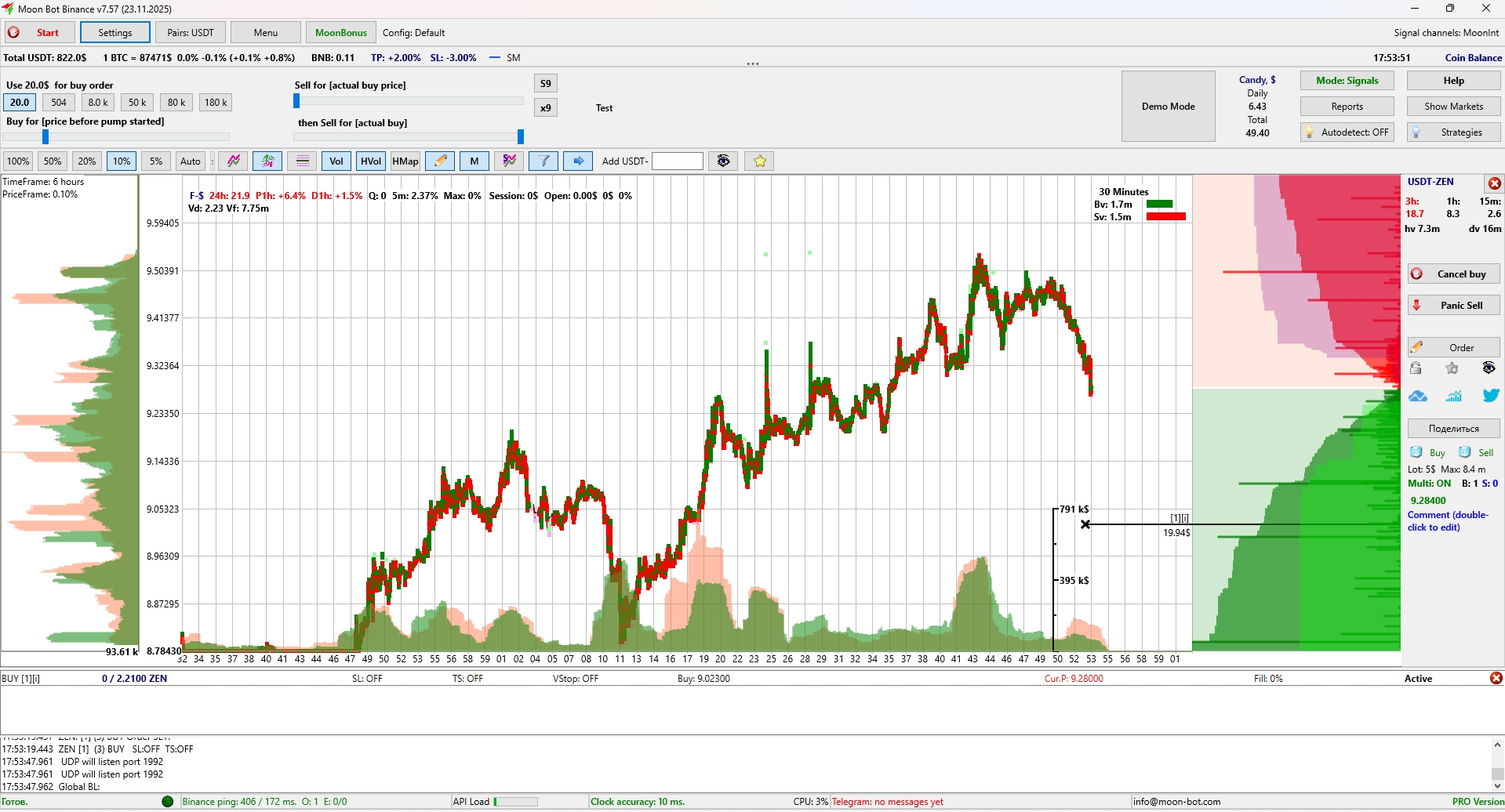
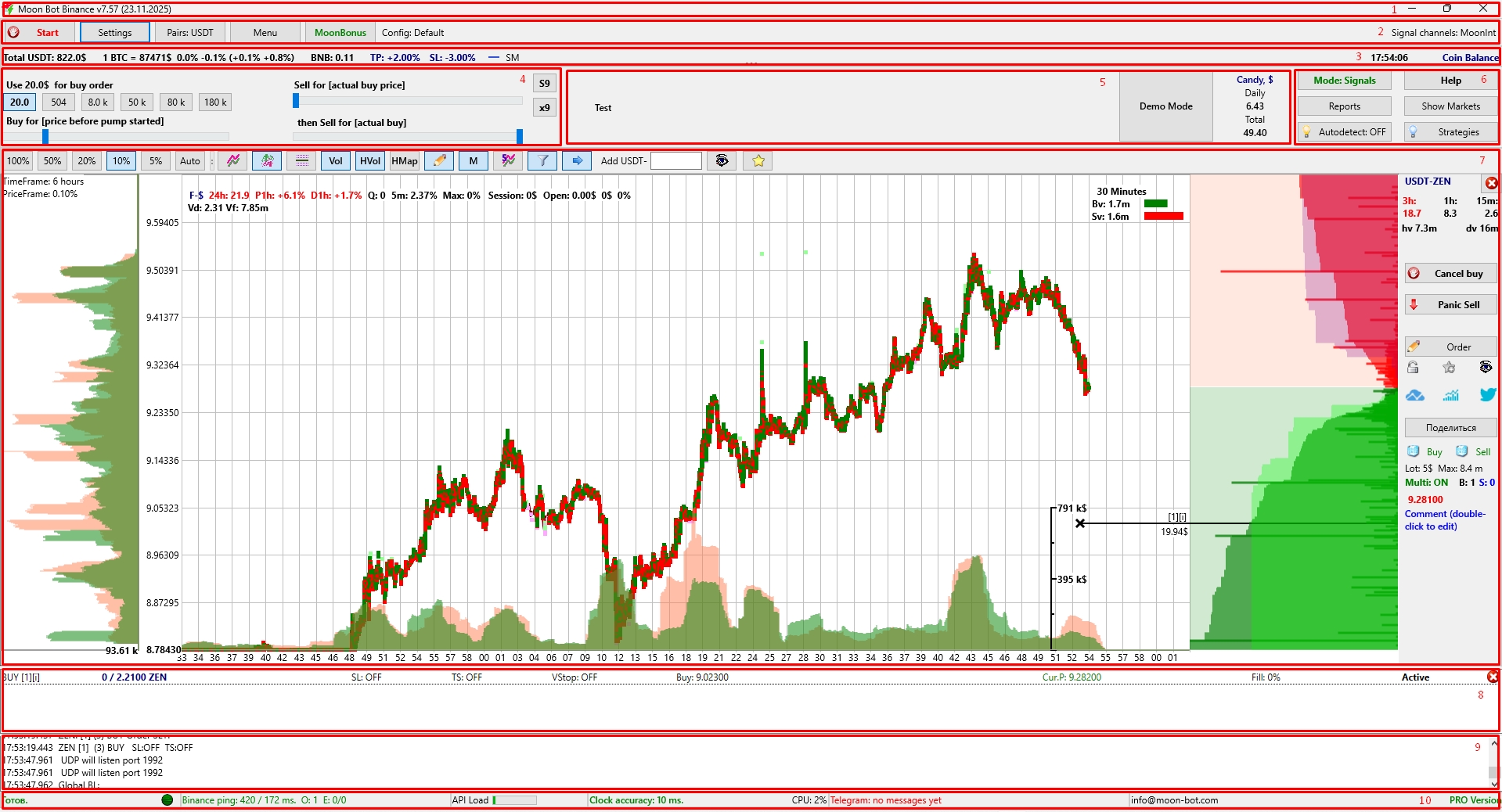
Moonbot Main Screen
The main screen of the Moonbot terminal can be conditionally divided into several sections:
-
Upper area with service information
-
Main control area
-
Auxiliary control area
-
Buy and Sell order control area
-
Comments, Candy, and Demo area
-
Detectors, strategies, reports and markets control area
-
Main terminal window with charts and additional settings
-
Orders window
-
Logs window
-
Lower area with service information.